
Search as a Product
Search That Works: How We Fixed Discoverability
At the AMA, I discovered a major disconnect between how search was managed internally and what users actually expected. While users assumed they could search the company website and find relevant content from across all AMA platforms, the reality was very different. Each product and service operated independently, and no one owned the overall search experience. As a result, search had become fragmented, inconsistent, and easily influenced by internal priorities.
Role: Director of Product Management
Team: 5
The Problem
AMA had dozens of separate digital products. Users expected a unified search experience, but behind the scenes, each product team was making independent decisions. When executives received complaints that their content wasn’t surfacing, they would request higher weighting for their material. Over time, this created a disorganized system where search results were skewed and unreliable.
The Reset
We started by clearing out the existing search index and launching a clean instance of Apache Solr. Technically, this was easy. Politically, it was more complex. I had to work closely with executive leadership and product owners to build confidence in the new approach and explain how a unified search strategy would lead to better visibility and discoverability for everyone’s content.
Defining What “Good” Search Looks Like
To rebuild trust in the system, we created a simple framework for measuring search quality.
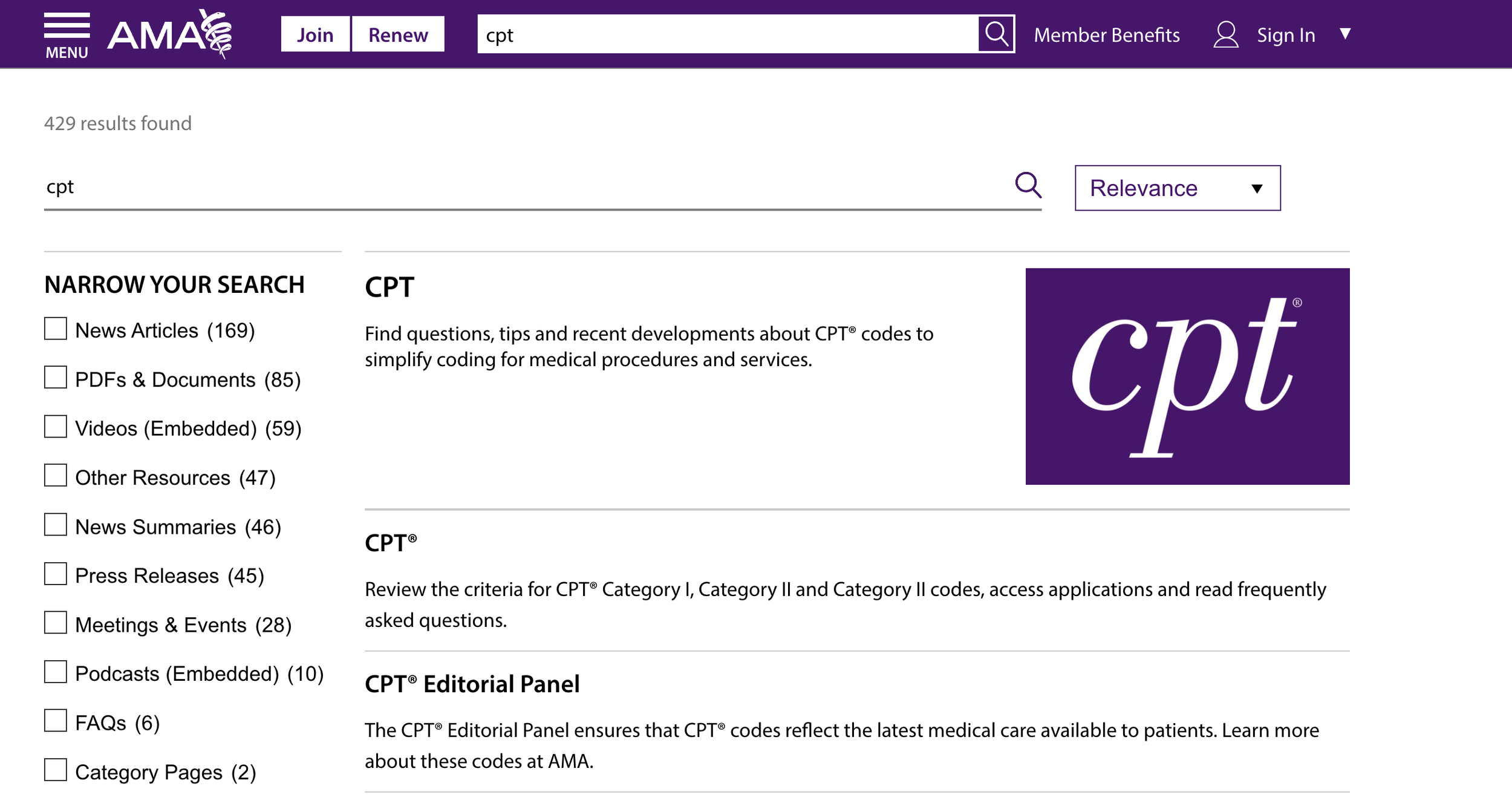
We reviewed the top 50 search queries and mapped them to existing topics. If we found content that matched the intent but performed poorly, we updated the on-page copy, context, or metadata, then retested. This process avoided manipulating Solr directly and instead focused on improving the content itself. It also helped improve our external SEO and organic traffic.
When a top query didn’t map to an AMA topic, we evaluated whether it represented a strategic content opportunity. This gave us early insight into emerging areas where we could create new content, often capturing valuable organic traffic with high engagement.
Negative Indicators:
Searches that ended with no click (excluding Best Bets or search connector use)
Searches that were refined without any click
Positive Indicators:
Searches that resulted in a click, including those assisted by Best Bets or connectors


Search Contains Logic
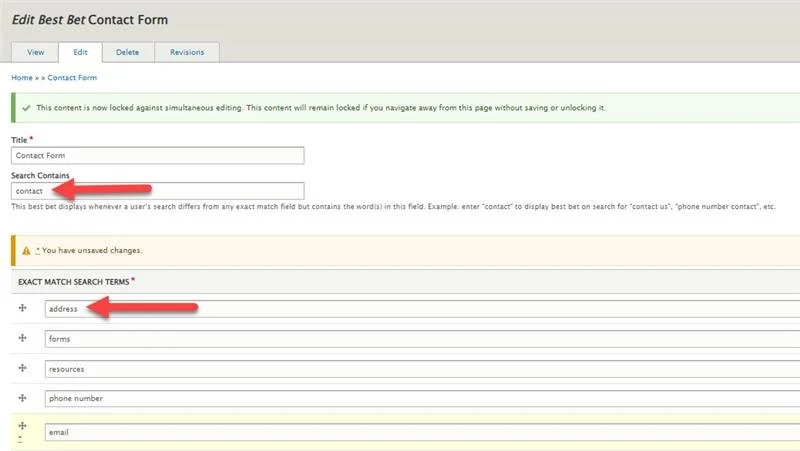
We used Apache Solr’s Best Bets feature to deliver more intuitive results. If a search query didn’t match a Best Bet’s exact terms, the system would look at the “search contains” field for related matches.
If multiple Best Bets matched, the oldest one would be prioritized.
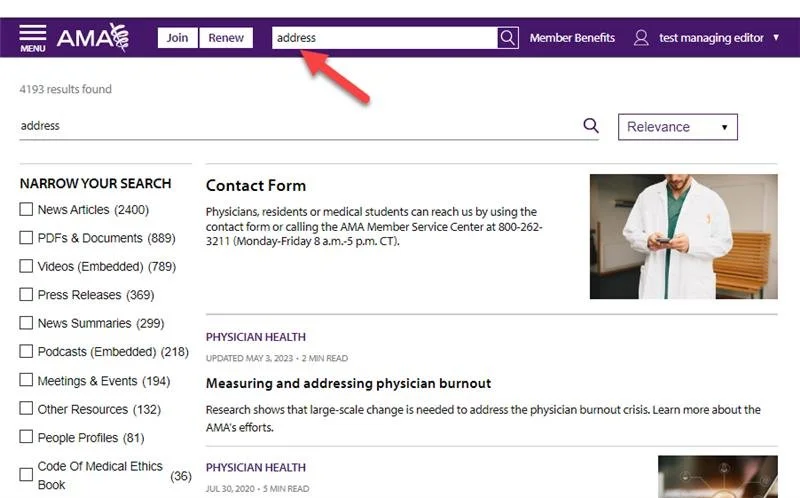
These matches appeared at the top of the search results, similar to promoted answers on Google.
Bet’s exact terms, the system would look at the “search contains” field for related matches.
This allowed us to guide users effectively, even when their search phrasing was unclear or non-standard.
For Example:
A query like “address” would trigger the Contact Us page.
A less direct query such as “I’m trying to contact someone” would also trigger the same result.
Universal Search
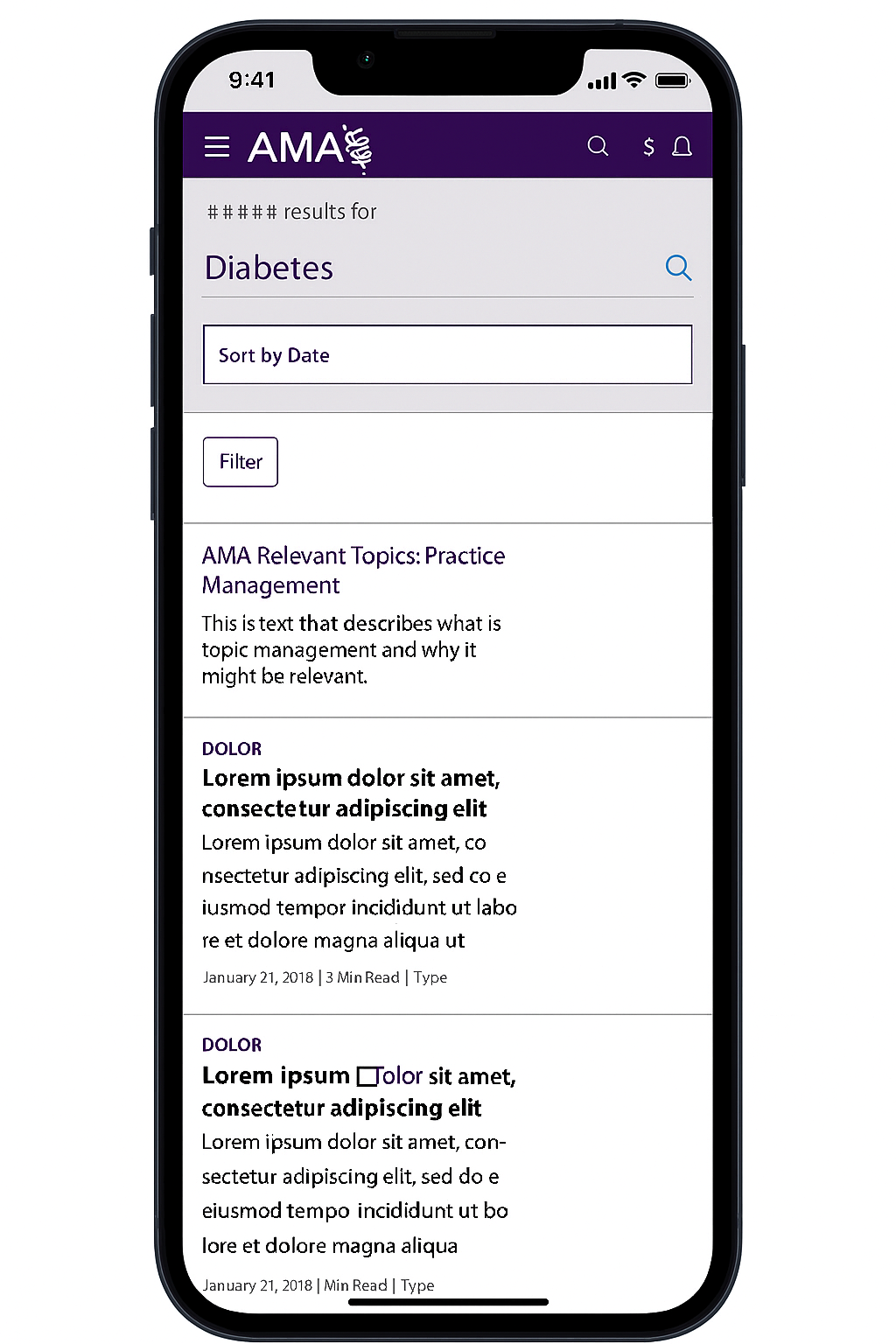
The long-term goal was to give users a consistent search experience across all AMA products. We created a Universal Search experience using APIs to connect independent platforms. When a search term had matches on a partner site, we displayed a callout on the results page showing how many results were found on those platforms. This helped users discover more without needing to search multiple sites separately, and it supported a more connected ecosystem across AMA’s offerings.
AI in Search
As AI technologies evolved, our methodology stayed the same. We continued to monitor behavior, adjust content, and ensure users could find what they were looking for.
Semantic search to better understand user intent
Predictive autosuggestions based on behavior patterns
LLMs to experiment with conversational interfaces and summarization
The goal remained consistent: deliver smarter, faster, and more relevant results that supported both users and business goals.